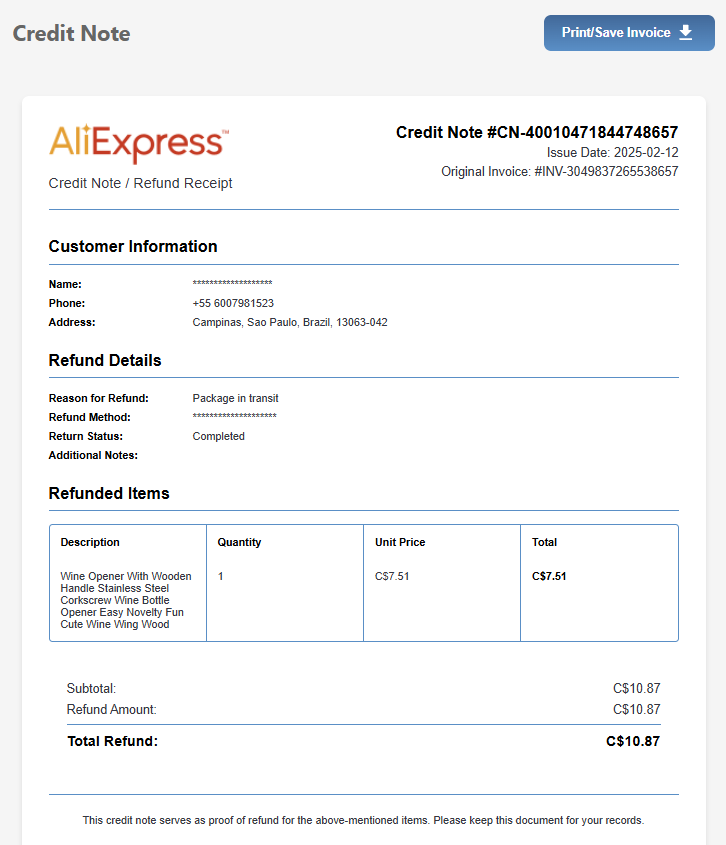
What are Credit Notes?
Credit notes are documents that record refunds or returns. When an AliExpress order is refunded, you can generate a credit note that references the original order for your records.
Important: Credit notes generated by AliBill are for record-keeping purposes only. They are not official financial documents.
Step 1: Collect Refund Information
- Navigate to your AliExpress refunds page
- The AliBill extension can collect refund details from refund list and detail pages
- Refunded orders will be marked accordingly in your stored data
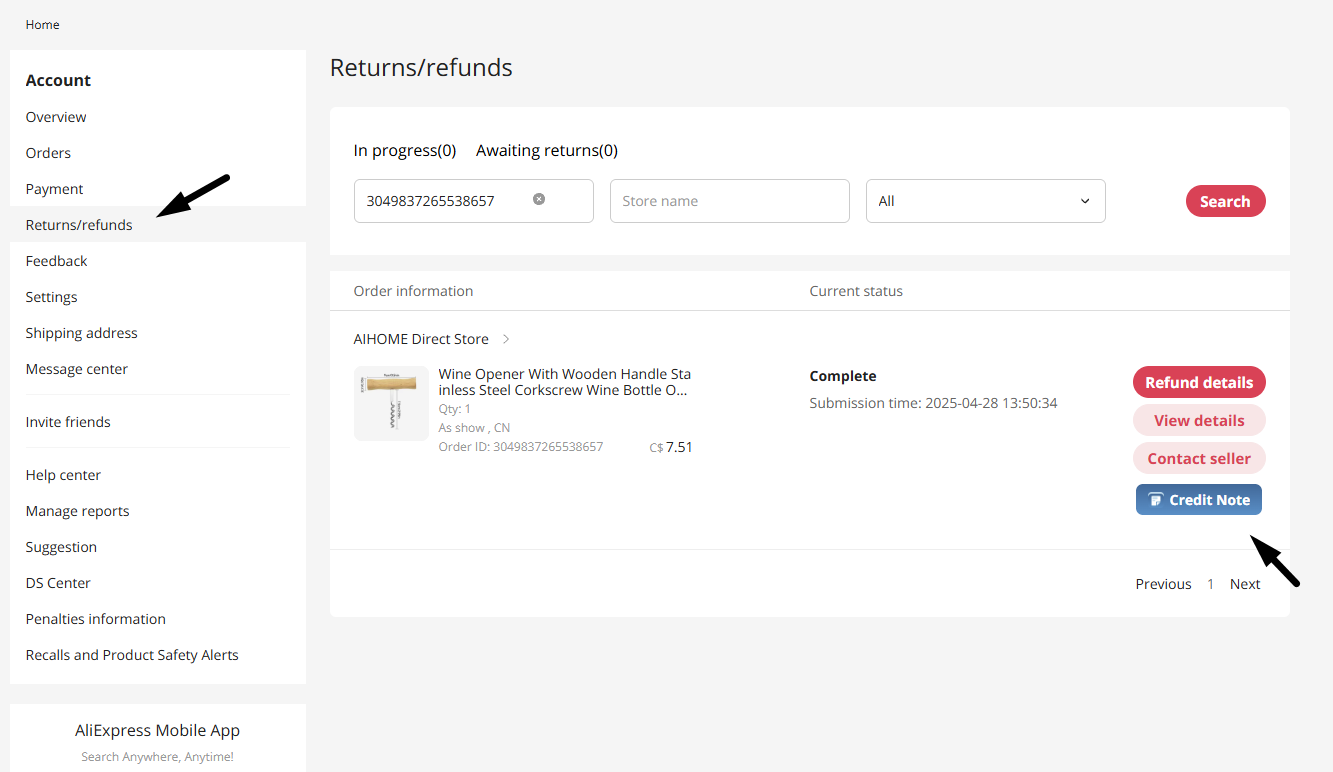
Step 2: Generate Credit Note
- Open the Invoice Page via the AliBill extension
- Find the refunded order using search or filters
- The credit note option will be available for orders with refund data
Step 3: Customize Credit Note
- Edit the credit note number (defaults to reference original order)
- Adjust date if needed
- Customize visibility options same as regular invoices
Step 4: Export
Export the credit note as PDF or print it directly. The document will clearly indicate it's a credit note with refund details.